
Download UX Pilot – AI-Powered UX Design Tool for Figma, Windows, Mac, Android & iOS
Revolutionize Your UX Design Workflow with UX Pilot
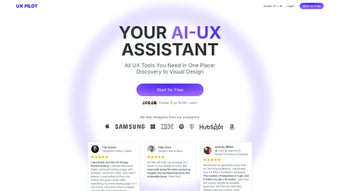
UX Pilot is a cutting-edge, AI-powered web application and Figma plugin designed to transform how UX designers, content creators, and product teams approach user experience design. By integrating advanced artificial intelligence with intuitive design tools, UX Pilot simplifies the entire design lifecycle—from initial discovery and user research to visual design and final review. Whether you're building a landing page, redesigning a mobile app, or creating a complex SaaS interface, UX Pilot helps you make data-driven decisions faster and more efficiently.
The platform excels in generating actionable insights from raw user feedback, survey responses, or session recordings, turning unstructured text into clear, prioritized design recommendations. This AI-driven analysis reduces the time spent on manual interpretation and empowers teams to focus on high-impact improvements. With seamless integration into Figma and FigJam, designers can stay within their primary design environment without switching tools, significantly boosting productivity.
The platform also offers customizable workshop templates for stakeholder alignment, requirement gathering, and ideation sessions—ideal for remote or hybrid teams. One of UX Pilot’s most praised features is its ability to generate insights from plain text input, making it easy to analyze user pain points and preferences directly within the design workflow. Whether you're a solo designer or part of a large product team, UX Pilot helps you reduce design iteration time, improve conversion rates, and deliver better user experiences—all while maintaining a secure and scalable workflow.
Key Features That Make UX Pilot a Must-Have Design Tool
UX Pilot stands out in the competitive UX design landscape thanks to its robust feature set tailored for modern design teams. At its core, the platform leverages AI to analyze user data and generate real-time insights, transforming qualitative feedback into structured, actionable recommendations. This includes identifying common user pain points, detecting emotional sentiment in feedback, and suggesting design improvements based on behavioral patterns.
The built-in ChatGPT-powered assistant enables rapid ideation, helping users brainstorm solutions, draft copy, or generate user personas with just a few prompts. For teams that rely on collaboration, UX Pilot offers a library of customizable workshop templates—perfect for sprint planning, user journey mapping, and stakeholder workshops—ensuring everyone is aligned from day one. Designers can also access unlimited UX templates with the paid plan, covering everything from onboarding flows to checkout processes, saving hours of repetitive work.
Another standout feature is the seamless integration with Figma and FigJam, allowing direct access to UX Pilot’s tools without leaving the design canvas. This integration supports live collaboration, real-time updates, and instant insight embedding, making it ideal for agile teams. Additionally, UX Pilot supports the creation of style guides and component libraries directly from user feedback, ensuring consistency across projects.
The platform also includes a powerful data analysis module that processes large volumes of user input, helping teams identify trends and prioritize features. All features are designed with security and privacy in mind, ensuring that sensitive user data remains protected. Whether you're working on a desktop, tablet, or mobile device, UX Pilot delivers a responsive, intuitive experience across Windows, Mac, Android, and iOS platforms.
How to Install and Use UX Pilot: A Step-by-Step Guide
Getting started with UX Pilot is quick and straightforward, whether you're using it as a web app or a Figma plugin. To begin, visit the official UX Pilot website and sign up for a free account. The registration process is secure and requires only an email address and password.
Once logged in, you can access the full suite of tools via your web browser—no downloads needed for the web version. For Figma users, the installation is equally simple: open your Figma project, go to the “Plugins” menu, search for “UX Pilot,” and install it directly from the Figma Community. After installation, the plugin appears in your Figma toolbar, allowing you to launch UX Pilot tools with a single click.
Once activated, you can import user feedback, survey results, or session notes directly into the platform. The AI engine then processes the text, identifies key themes, and generates a visual summary of insights, complete with priority tags and suggested design changes. You can also use the ChatGPT assistant to refine ideas or draft copy for buttons, CTAs, or microcopy.
For teams, UX Pilot supports shared workspaces, role-based access, and version history, making collaboration smooth and transparent. To use the workshop templates, simply select a template from the library, customize it with your project details, and invite team members or stakeholders to contribute in real time. All changes are saved automatically, and you can export insights as PDFs or share them directly with developers.
The platform also supports regular updates, ensuring you always have access to the latest AI models and security patches. For users on mobile devices, the UX Pilot web app is fully responsive, offering a seamless experience on Android and iOS smartphones and tablets. With intuitive navigation and context-sensitive tooltips, even new users can become proficient within minutes.
Pros and Cons of UX Pilot – Honest Review
- Pros: AI-powered insights from text input, seamless Figma & FigJam integration, unlimited templates (paid plan), built-in ChatGPT assistant, secure & scalable cloud platform, responsive design across devices, ideal for remote teams, improves conversion rates, reduces design iteration time.
- Cons: No integration with Adobe Creative Cloud or XD, limited offline functionality, learning curve for new users, advanced features locked behind paid tiers, no native desktop app (web-only).
Frequently Asked Questions (FAQ)
Is UX Pilot free to download and use?
Yes, UX Pilot offers a free plan with core features like AI insights, basic templates, and limited ChatGPT access. You can download and use it on Windows, Mac, Android, and iOS via the web browser. The free version is ideal for individual designers or small teams testing the platform.
Can I use UX Pilot with Figma?
Absolutely. UX Pilot is available as a native Figma plugin, allowing you to access all its tools directly within your Figma design files. This seamless integration eliminates context switching and boosts workflow efficiency.
Does UX Pilot support offline usage?
UX Pilot is primarily a cloud-based web application, so full functionality requires an internet connection. However, some data can be cached locally for quick access, though offline editing is not currently supported.
Can I integrate UX Pilot with Adobe tools?
Currently, UX Pilot does not integrate with Adobe XD, Photoshop, or other Adobe Creative Cloud applications. It is optimized for Figma and FigJam workflows.
How often does UX Pilot update its AI models?
UX Pilot regularly updates its AI models to improve accuracy and performance. Major updates are released quarterly, with minor patches and security fixes applied monthly.
Final Verdict: Is UX Pilot Worth It?
UX Pilot is a powerful, secure, and intelligent tool that significantly enhances the UX design process. Its AI-driven insights, seamless Figma integration, and collaborative features make it a top choice for designers and product teams aiming to improve user experience and boost conversion rates. While it lacks support for Adobe tools and offline access, its strengths far outweigh these limitations, especially for teams already using Figma.
Whether you're a solo creator or part of a growing design team, UX Pilot streamlines workflows, reduces guesswork, and delivers measurable results. If you're looking to elevate your design process with smart, data-backed decisions, UX Pilot is a must-download. Download UX Pilot today and experience the future of AI-powered UX design.



.png)



